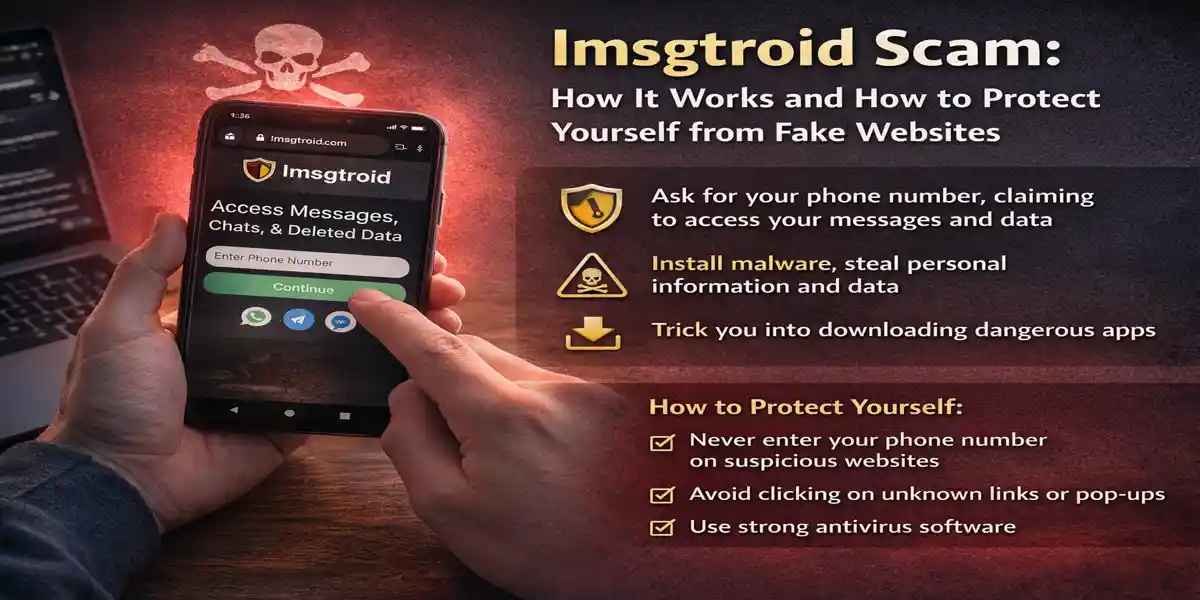
In the modern digital landscape, scams have evolved from simple email fraud to more complex online traps designed to steal personal data, install malware, and even manipulate victims into spending money or giving away sensitive information.
Imsgtroid, a new and dangerous scam, is one such example, preying on unsuspecting individuals. In this article, we will dive deep into the imsgtroid scam, its potential risks, and how to safeguard yourself from falling victim to it.
What is Imsgtroid?
Imsgtroid presents itself as an online service or website that promises users the ability to access certain data associated with a phone number—usually messages, conversations, or other personal information linked to the number entered.
But what starts as a seemingly harmless request for phone number verification quickly turns into a scam designed to exploit your data, install malware, and even trick you into downloading dangerous apps or engaging with fraudulent services.
How Does Imsgtroid Work?
The scam works by luring users into entering their phone numbers on a website or app that appears legitimate at first glance. Once the number is entered, the website typically asks the user to complete various tasks in order to “verify” that they are human. These tasks can range from downloading apps to clicking on promotional links or even completing surveys.
However, as real users report, these tasks often lead to malicious results:
- Redirection to untrusted websites: Often, users are sent to phishing sites that appear legitimate, such as fake Google Play pages, where they are encouraged to download harmful apps.
- Download Malware: Many users who have interacted with imsgtroid ended up inadvertently downloading malware or spyware onto their devices, making them vulnerable to identity theft, data theft, or worse.
- Stealing Personal Information: The phone number entered is often used for fraudulent activities, like selling your data or bombarding you with spam calls.
Here’s a real experience shared on Reddit, highlighting how users get trapped:
“I tried using it and it said that I had to choose from four options to proceed to verify that I was human: book a family holiday, download Nord VPN, and two others. I chose to download Nord VPN and it redirected me to another tab that looked like Google Play’s website, as opposed to the app, on the browser that I was using.
This page seemed to freeze, and it was taking too long to download, so I went to the Google Play app and downloaded Nord VPN there. This happened quick enough. When I went back, I clicked ‘verify,’ but it was still making me pick an option and taking ages to load. Gave up and haven’t seen it work in real life. Seems like a scam. The news isn’t reporting this at all. Does anyone know anything else about it?” —Reddit User Review
This experience encapsulates how imsgtroid lures victims through what seems like a harmless verification process but ultimately redirects users to suspicious websites where their devices become infected or personal data is compromised.
Red Flags to Watch Out For
When dealing with potential online scams like imsgtroid, being able to identify red flags is key to protecting yourself. Some common signs that a website might be a scam include:
- Unsolicited requests for personal information: If a site asks for sensitive data, such as your phone number, address, or bank details, without any clear reason, proceed with caution.
- Slow loading times or unresponsive pages: Fraudulent sites often freeze or get stuck when you try to perform an action. This is a tactic used to confuse users into thinking there’s an error or issue that they need to address by re-clicking or downloading something.
- Requests to download apps or click links: Genuine websites don’t ask you to download unnecessary apps or click suspicious links to proceed.
- Lack of secure URLs: Always check for a secure connection (look for “https://” in the URL) before entering any personal information on a website.
Real Experiences from Users Who Encountered Imsgtroid
User 1: “It’s Fake, Don’t Fall for It”
“This is fake. They’ll use the number you put on their sites to scam you. Don’t fall for this.”
This short but powerful message warns users about the ultimate goal of imsgtroid—to steal personal data and use it for malicious purposes. This is a recurring theme in user experiences: once a phone number is entered, it’s not only exposed to scammers but may be used for selling data, spamming, or even worse.
User 2: “Avoid Clicking Unknown Links”
“Oh Jesus dude. I hope this is fake. NEVER, under ANY circumstance, download anything from any link that you click on the internet that you do not know what the source is. Never click links in text messages. Just never. Click. Links. You most likely downloaded a virus of some sort.”
This user’s warning serves as a crucial reminder: never trust links from unverified sources. Clicking a link or downloading an app from unknown websites or text messages can lead to malware installation or other security threats.
User 3: “Is Imsgtroid Real? Why Is No One Reporting It?”
“I’ve been seeing a lot of posts on TikTok about it, with people claiming it works. Supposedly, if you enter a phone number in, it will show all conversations associated with it. Is it a scam and if it’s real, how can you prevent your data from being accessed?”
This statement reflects a critical issue in the age of viral content. TikTok videos and social media trends often glamorize scams, making them appear legitimate to viewers. The viral spread of imsgtroid through social media platforms can mislead users into thinking the site is safe. It’s vital to fact-check claims before engaging with any suspicious sites.
How to Protect Yourself from Imsgtroid and Similar Scams
1. Avoid Entering Personal Information on Unknown Websites
When a website asks for sensitive data, like your phone number, always verify the website’s legitimacy. Imsgtroid is a clear example of a website that should be avoided at all costs, especially if you are asked to share personal or financial information.
2. Don’t Click on Unknown Links
One of the most common tactics used by scammers is to send you links to phishing sites or malware-laden apps. If you receive a link in a text message, email, or from an untrusted source, do not click. Always verify the authenticity of a website before interacting with it.
3. Use Antivirus Software
Protect your devices from malware and phishing attempts by installing reputable antivirus software and keeping it updated. This software can help identify suspicious activity on your device, such as malware downloads from fake websites.
4. Check the URL for Security
Before entering any personal information, always ensure the website is secure. A reliable website will have an https:// in the URL, and you may also see a padlock symbol next to it. If the website does not display this, avoid entering your details.
5. Report Suspicious Websites
If you encounter a website like imsgtroid that you suspect is a scam, report it to the relevant authorities or watchdog organizations. Websites like Google Safe Browsing and PhishTank can help warn others about potentially harmful sites.
Conclusion: Be Cautious and Stay Informed
The imsgtroid scam highlights the increasing sophistication of online fraud and the need for heightened awareness when interacting with unknown websites. Scammers use tactics such as phone number collection, malicious redirects, and fake verification steps to deceive users into revealing personal information or downloading harmful software.
Real-world user experiences have shown just how easily people can be tricked into downloading malware or compromising their data by engaging with fraudulent websites. The key takeaway here is to always be cautious and follow best practices for online security to protect yourself from scams like imsgtroid.
If you ever encounter a site that seems suspicious, trust your instincts—don’t engage, and report it to prevent others from falling victim to similar scams.
CLICK HERE TO STAY ALERT FROM ONLINE FRAUD